Screen pops are not working
The following content applies to Genesys Cloud for Salesforce.
To receive screen pops, your Salesforce organization must have a softphone layout. This layout must include Salesforce objects that you want to screen pop.
If your Salesforce organization does not have a softphone layout, you receive the following message:
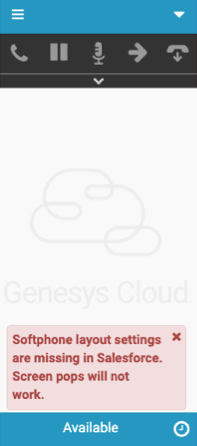
For information about creating a softphone layout, see Customizing Softphone Layouts in the Salesforce documentation.
The following content applies to Genesys Cloud for Zendesk.
The integration does not alter permissions within Zendesk. If a user does not have permission to view a particular record, a screen pop to that record fails.
You can confirm whether you have permission to view a particular record by navigating to the record that you expected to screen pop. If you cannot see the record by navigating to the record, you do not have permission to view the record.
For more information about the integrations, see About Genesys Cloud for Salesforce and About Genesys Cloud for Zendesk.
[NEXT] Was this article helpful?
Get user feedback about articles.